How to make Claude Code plan before it codes
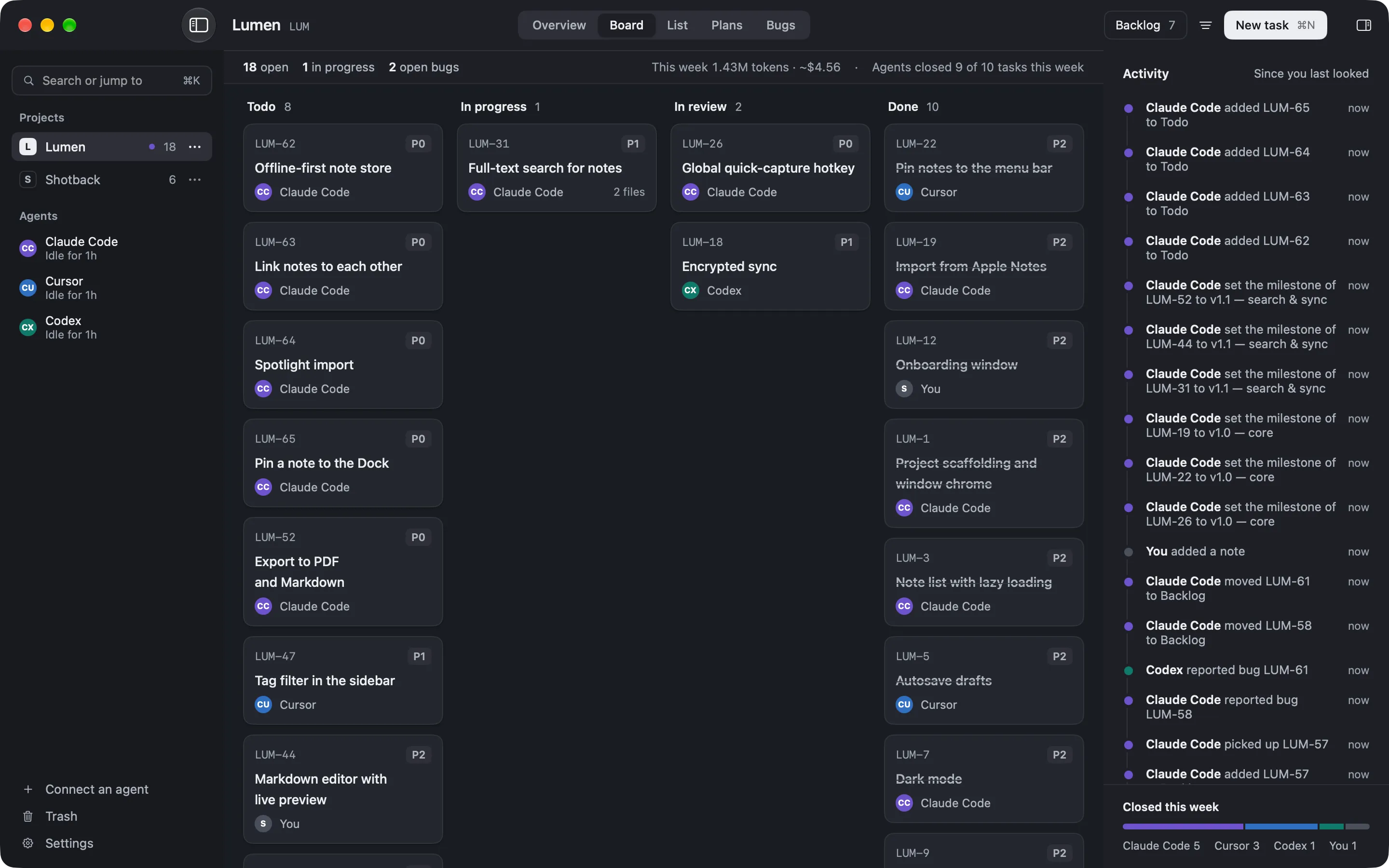
Make Claude Code plan before it codes by entering plan mode with Shift+Tab, or by asking it to plan the feature into a board first. In plan mode it researches and proposes a plan, and makes no edits until you approve. Planning into a board goes further: the plan becomes tasks in Todo, so you review it as cards before any code is written.
Why planning first pays off
A coding agent will start editing the moment you ask, which is fine for a one-line fix and expensive for anything larger. A wrong approach is cheap to catch in a plan and costly to unwind once it’s code. Getting the plan out first is the habit that pays off most with these tools.
There are two ways to make it happen, and they stack.
Plan mode, in the session
Claude Code has a plan mode that separates thinking from doing. Enter it with Shift+Tab, which cycles the permission modes until the indicator reads plan. Describe what you want, and the agent reads the code and comes back with a plan instead of a diff. Approve it and it starts the work; reject it and you’ve lost minutes, not a branch.
This is the fast path for a single session. Its limit is that the plan lives in the chat, so it’s gone when the session ends.
Plan onto a board, for the next session too
To keep the plan past one session, have the agent plan the feature into a board. It writes the plan and breaks it into tasks with priorities and acceptance criteria, and the tasks land in Todo. You review the plan as cards before any code is written, and the next session picks up the tasks instead of re-planning. The feature-plan template gives the plan a shape; working with agents covers what the agent does with the tasks after.
Which to use when
| Situation | Use |
|---|---|
| A change you’ll finish in one sitting | Plan mode (Shift+Tab) |
| A feature spanning several sessions | Plan onto a board |
Start with plan mode today; move to planning onto a board the first time a feature outlives a session.
FAQ
How do I turn on plan mode?
Press Shift+Tab at the Claude Code prompt. It cycles the permission modes; stop when the indicator reads plan. The agent then proposes a plan and makes no edits until you approve.
What happens when I approve a plan?
Claude Code leaves plan mode and starts making the changes it laid out. If the plan was wrong, you fix it first, so a bad approach is caught before any code is written.
Why plan into a board instead of plan mode alone?
Plan mode is one session. A plan on a board survives the session as tasks, so the next run picks up where this one left off instead of re-planning.