What an MCP server is, for people who use coding agents
An MCP server is a small program that gives a coding agent tools it doesn't have on its own: read files, query a database, search docs, or move cards on a board. The agent talks to it over MCP, an open standard, so the same server works with Claude Code, Cursor, Codex and Claude Desktop. You add one to your client's config, restart, and its tools show up in the next session.
The problem it solves
A model on its own can only read what you paste into the chat. It can’t open your database, hit an API, or move a card on your board. MCP is the standard that closes that gap, and an MCP server is the thing on the other end that actually does the work.
Think of the server as a small adapter. It exposes a set of tools, the agent calls them during a task, and the results come back into the conversation. A filesystem server exposes read and write tools; a docs server exposes search; a board server exposes tools to plan and move tasks.
One protocol, many servers
The point of MCP is that a server speaks it once and every client that supports MCP can use it. Write or install a server, and it works the same in Claude Code, Cursor, Codex and Claude Desktop. Before MCP, each of those needed its own custom integration.
That’s why the ecosystem grew fast: you’re not building one integration per tool, you’re building one server. For a fuller definition, see what an MCP server is.
Local or remote
Servers come in two shapes, and the difference is where they run:
| Kind | Runs where | Auth |
|---|---|---|
| Local | A process on your machine (npx or uvx) | A key in the config, if any |
| Remote | Hosted by the provider, reached over HTTP | OAuth login or a token |
Adding one is a config entry
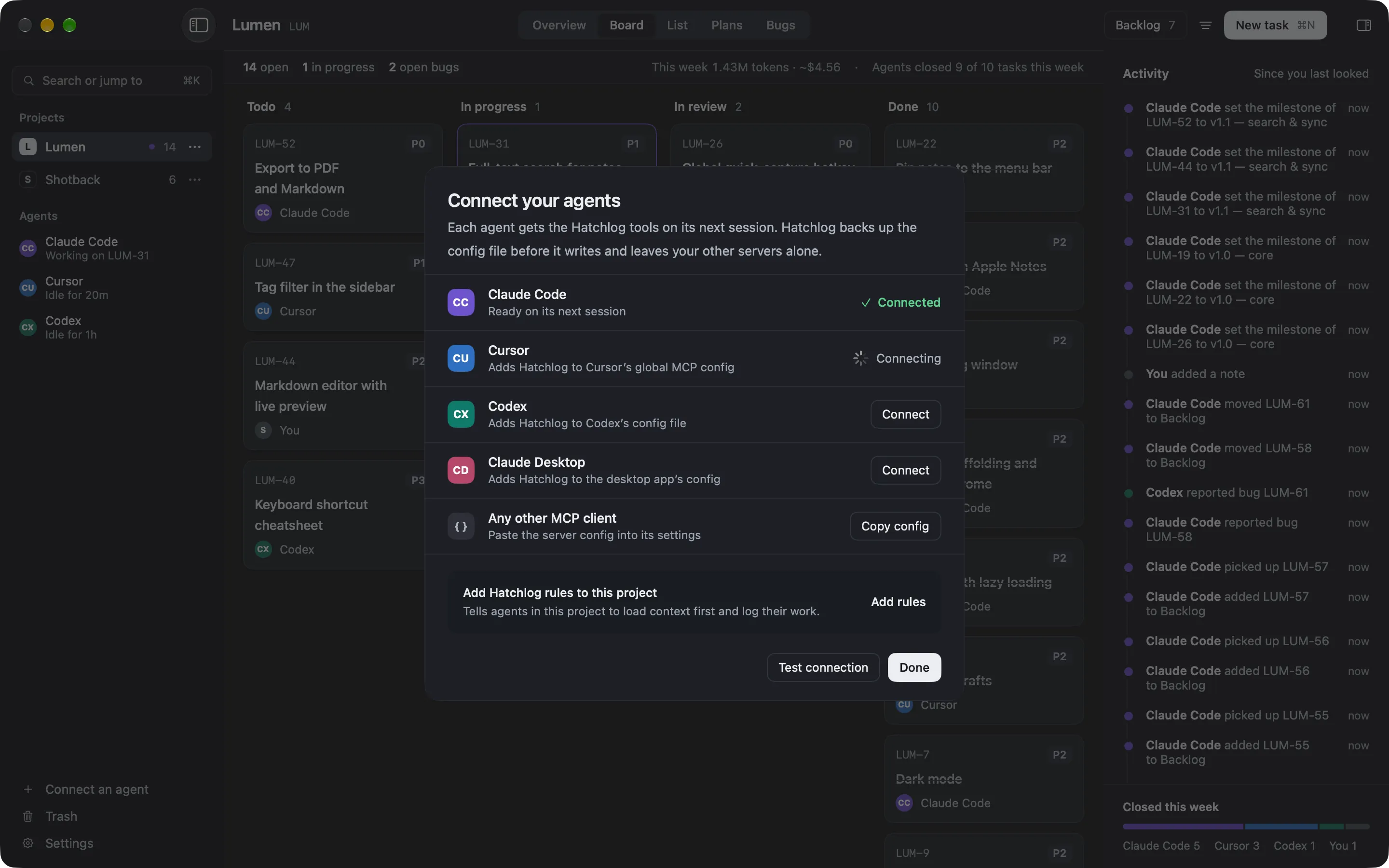
You don’t write code to use a server. You add an entry to your client’s config file (the command for a local server, or the URL for a remote one), restart the client, and the tools load in the next session. The MCP config builder writes that entry for each client, and connect Claude Code shows the one-click version when the app handles it for you.
The concrete example to hold onto: connecting an agent to a board is adding one MCP server. One click, and the agent can read and move your tasks.
FAQ
Is an MCP server the same as MCP?
No. MCP is the protocol, the shared language. An MCP server is a program that speaks it and exposes a set of tools. One protocol, many servers.
Do I have to run the server myself?
It depends on the server. A local server runs on your machine with npx or uvx. A remote server is hosted, and you connect over HTTP with a login or a token.
Does one server work in every agent?
If the agent supports MCP, yes. The same server works across Claude Code, Cursor, Codex and Claude Desktop, because they all speak the protocol.